> ## Documentation Index
> Fetch the complete documentation index at: https://docs.screenpipe.com/llms.txt
> Use this file to discover all available pages before exploring further.
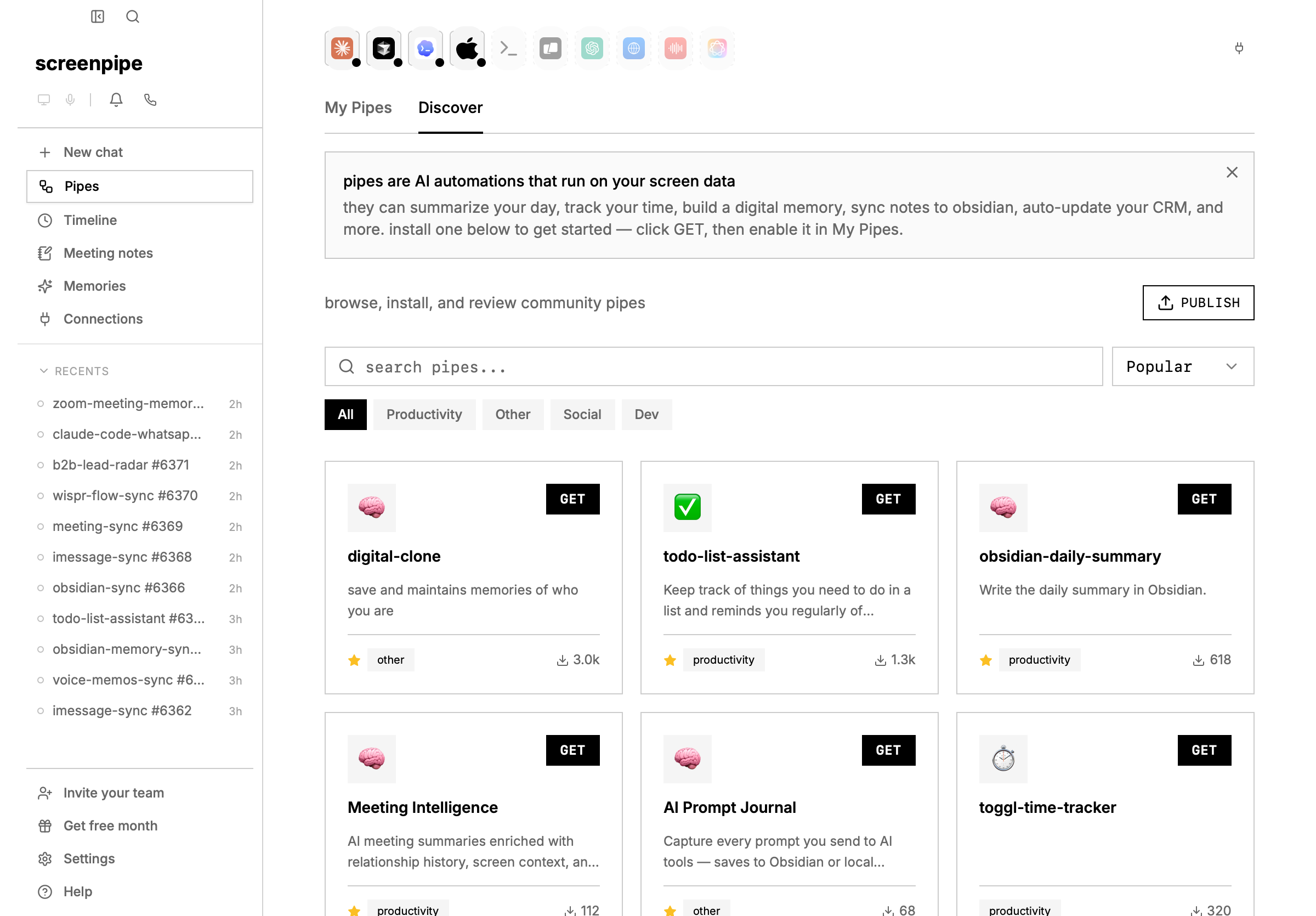
# debug screenpipe pipes
> A practical debugging guide for screenpipe pipes: schedules, logs, API access, AI provider auth, connection proxies, permissions, and stuck runs.
{/* https://screenpi.pe */}
when a pipe fails, debug it like a small production job: confirm the engine is alive, confirm the pipe has data, confirm the AI provider works, then inspect logs and permissions.
 ## fast triage
| check | command or screen | what it tells you |
| ---------- | ------------------------------------------------------ | ------------------------------- |
| engine | `curl http://localhost:3030/health` | screenpipe API is alive |
| data | `curl "http://localhost:3030/search?limit=5"` | there is searchable context |
| pipe list | `curl http://localhost:3030/pipes` | pipe is installed and enabled |
| logs | `curl http://localhost:3030/pipes//logs` | last stdout, stderr, and errors |
| manual run | `curl -X POST http://localhost:3030/pipes//run` | schedule is not the blocker |
| stop | `curl -X POST http://localhost:3030/pipes//stop` | clears a stuck execution |
## lifecycle
```mermaid theme={null}
flowchart LR
A["pipe.md"] --> B["installed pipe"]
B --> C["enabled schedule"]
C --> D["run queued"]
D --> E["AI agent executes"]
E --> F["screenpipe API search"]
E --> G["connection proxy calls"]
E --> H["files, memories, notifications, or external APIs"]
E --> I["logs and session file"]
```
## common failures
| symptom | likely cause | fix |
| ----------------------------------- | -------------------------------------------------- | ----------------------------------------------------------------- |
| run never starts | pipe disabled or another run is queued | enable it, stop stale runs, run manually |
| no useful output | prompt did not require a durable output | tell the pipe exactly where to write, notify, or summarize |
| "connection refused" | local API still booting | wait for `/health`, then rerun |
| "unauthorized" | API auth or provider key missing | set `SCREENPIPE_API_KEY`, sign in, or update provider credentials |
| empty search results | time range too narrow or capture disabled | widen the window and verify `/search?limit=5` |
| Windows terminal flashes and closes | process crashed immediately | open pipe logs or run script from PowerShell |
| pipe sees old data only | schedule window or stale filters | remove filters, run manually, widen time range |
| custom window not found | exact window title differs | search broad, then inspect stored `window_name` |
| notification does not fire | condition, integration, or OS notification setting | test each step outside the pipe |
| provider timeout | model slow, batch too large, or network issue | use faster model, add timeout, or rerun |
| connection API fails | integration disconnected or missing proxy path | reconnect the integration and use `/connections//proxy/...` |
| permission denied | pipe permissions too narrow | update `pipe-permissions` allowlist |
## windows pipe exits immediately
if a black command window appears and disappears, the pipe process is probably crashing before you can read the error.
1. open **settings -> pipes -> your pipe -> logs**.
2. run the pipe manually.
3. if the pipe calls a script, run that script directly in PowerShell.
4. confirm `pipe.md` exists in the pipe folder and has valid frontmatter.
5. confirm the local API is alive:
```bash theme={null}
curl http://localhost:3030/health
```
then search broadly:
```bash theme={null}
curl "http://localhost:3030/search?limit=5&content_type=all"
```
do not debug the schedule until manual run works.
## write prompts with debuggable outputs
weak:
```markdown theme={null}
Tell me what I did today.
```
strong:
```markdown theme={null}
Search the last 24 hours of screenpipe data.
Write a markdown summary to ~/Documents/daily-screenpipe-summary.md.
Include:
- accomplishments
- meetings
- open loops
- timeline links for the 5 most important moments
If there is no data, say which API call returned empty.
```
for monitoring pipes, add a "no match" behavior:
```markdown theme={null}
Search the last 10 minutes for the window named "Operations Dashboard".
If you find a red error banner, send a desktop notification.
If the window is missing or no error is visible, write a log line explaining which case happened.
Never send an alert unless the evidence is present in screenpipe results.
```
## frontmatter checklist
```yaml theme={null}
---
schedule: every 30m
enabled: true
timeout: 600
permissions:
allow:
- /search
- /activity-summary
- /meetings
---
```
keep the schedule simple until the pipe works manually. add permissions only for the APIs the pipe needs.
## secrets and provider auth
do:
* keep API keys in `.env` next to `pipe.md`
* use connected app proxies when possible
* use local models through Ollama for fully local execution
* use `SCREENPIPE_API_KEY` when API auth is enabled
do not:
* paste API keys into the prompt body
* ask the AI to print secrets
* grant broad write access before the pipe is proven
## connection proxies
connected apps can be called without exposing secrets to the pipe prompt:
```bash theme={null}
curl "http://localhost:3030/connections/google-calendar/events?hours_ahead=8"
curl "http://localhost:3030/connections/notion/proxy/v1/search"
curl "http://localhost:3030/connections/hubspot/proxy/crm/v3/objects/contacts"
```
exact proxy paths depend on the integration. see [connection reference](/connection-reference).
## search filters that usually break custom pipes
start with broad search, then add filters one at a time.
```bash theme={null}
curl "http://localhost:3030/search?limit=10&content_type=all"
curl "http://localhost:3030/search?limit=10&content_type=accessibility"
curl "http://localhost:3030/search?limit=10&content_type=ocr"
curl "http://localhost:3030/search?limit=10&content_type=audio"
```
use `content_type=all` or `content_type=accessibility` for most app text. OCR is fallback pixel text, not the main source of screen text on platforms where accessibility data is available.
when filtering by window, first inspect real stored window names from broad results. the visible title bar and stored `window_name` can differ.
avoid this while debugging:
```bash theme={null}
curl "http://localhost:3030/search?limit=50&content_type=ocr&window_name=Exact%20Title"
```
prefer:
```bash theme={null}
curl "http://localhost:3030/search?limit=20&content_type=all"
```
then add `window_name`, `app_name`, `start_time`, or `end_time` only after you know the data exists.
## notifications and external actions
if a pipe should play a sound, show a notification, send Telegram, update Notion, or call a webhook, split the debugging:
| layer | test |
| ----------- | ----------------------------------------------------- |
| capture | does `/search` find the condition? |
| decision | does the prompt explain why it will or will not act? |
| integration | does the notification/API call work outside the pipe? |
| permissions | can the pipe call the endpoint or command? |
| schedule | does the pipe run manually before relying on cron? |
make the pipe log every skipped action. silent "no-op" runs are hard to debug.
## when to use chat, MCP, or pipes
| job | use |
| ---------------------------------------------- | --------------------- |
| one question about recent activity | chat |
| external AI assistant needs screen memory | MCP |
| recurring workflow or scheduled output | pipe |
| structured integration with CRM/calendar/notes | pipe plus connections |
| local script or app integration | REST API |
## collect a useful bug report
include:
* pipe name and `pipe.md`
* schedule and whether manual run works
* output of `curl http://localhost:3030/health`
* output of `curl http://localhost:3030/pipes//logs`
* AI provider and model
* whether API auth is enabled
* OS and screenpipe version
## related pages
* [pipes](/pipes)
* [pipe permissions](/pipe-permissions)
* [API recipes](/api-recipes)
* [connections](/connections)
## fast triage
| check | command or screen | what it tells you |
| ---------- | ------------------------------------------------------ | ------------------------------- |
| engine | `curl http://localhost:3030/health` | screenpipe API is alive |
| data | `curl "http://localhost:3030/search?limit=5"` | there is searchable context |
| pipe list | `curl http://localhost:3030/pipes` | pipe is installed and enabled |
| logs | `curl http://localhost:3030/pipes//logs` | last stdout, stderr, and errors |
| manual run | `curl -X POST http://localhost:3030/pipes//run` | schedule is not the blocker |
| stop | `curl -X POST http://localhost:3030/pipes//stop` | clears a stuck execution |
## lifecycle
```mermaid theme={null}
flowchart LR
A["pipe.md"] --> B["installed pipe"]
B --> C["enabled schedule"]
C --> D["run queued"]
D --> E["AI agent executes"]
E --> F["screenpipe API search"]
E --> G["connection proxy calls"]
E --> H["files, memories, notifications, or external APIs"]
E --> I["logs and session file"]
```
## common failures
| symptom | likely cause | fix |
| ----------------------------------- | -------------------------------------------------- | ----------------------------------------------------------------- |
| run never starts | pipe disabled or another run is queued | enable it, stop stale runs, run manually |
| no useful output | prompt did not require a durable output | tell the pipe exactly where to write, notify, or summarize |
| "connection refused" | local API still booting | wait for `/health`, then rerun |
| "unauthorized" | API auth or provider key missing | set `SCREENPIPE_API_KEY`, sign in, or update provider credentials |
| empty search results | time range too narrow or capture disabled | widen the window and verify `/search?limit=5` |
| Windows terminal flashes and closes | process crashed immediately | open pipe logs or run script from PowerShell |
| pipe sees old data only | schedule window or stale filters | remove filters, run manually, widen time range |
| custom window not found | exact window title differs | search broad, then inspect stored `window_name` |
| notification does not fire | condition, integration, or OS notification setting | test each step outside the pipe |
| provider timeout | model slow, batch too large, or network issue | use faster model, add timeout, or rerun |
| connection API fails | integration disconnected or missing proxy path | reconnect the integration and use `/connections//proxy/...` |
| permission denied | pipe permissions too narrow | update `pipe-permissions` allowlist |
## windows pipe exits immediately
if a black command window appears and disappears, the pipe process is probably crashing before you can read the error.
1. open **settings -> pipes -> your pipe -> logs**.
2. run the pipe manually.
3. if the pipe calls a script, run that script directly in PowerShell.
4. confirm `pipe.md` exists in the pipe folder and has valid frontmatter.
5. confirm the local API is alive:
```bash theme={null}
curl http://localhost:3030/health
```
then search broadly:
```bash theme={null}
curl "http://localhost:3030/search?limit=5&content_type=all"
```
do not debug the schedule until manual run works.
## write prompts with debuggable outputs
weak:
```markdown theme={null}
Tell me what I did today.
```
strong:
```markdown theme={null}
Search the last 24 hours of screenpipe data.
Write a markdown summary to ~/Documents/daily-screenpipe-summary.md.
Include:
- accomplishments
- meetings
- open loops
- timeline links for the 5 most important moments
If there is no data, say which API call returned empty.
```
for monitoring pipes, add a "no match" behavior:
```markdown theme={null}
Search the last 10 minutes for the window named "Operations Dashboard".
If you find a red error banner, send a desktop notification.
If the window is missing or no error is visible, write a log line explaining which case happened.
Never send an alert unless the evidence is present in screenpipe results.
```
## frontmatter checklist
```yaml theme={null}
---
schedule: every 30m
enabled: true
timeout: 600
permissions:
allow:
- /search
- /activity-summary
- /meetings
---
```
keep the schedule simple until the pipe works manually. add permissions only for the APIs the pipe needs.
## secrets and provider auth
do:
* keep API keys in `.env` next to `pipe.md`
* use connected app proxies when possible
* use local models through Ollama for fully local execution
* use `SCREENPIPE_API_KEY` when API auth is enabled
do not:
* paste API keys into the prompt body
* ask the AI to print secrets
* grant broad write access before the pipe is proven
## connection proxies
connected apps can be called without exposing secrets to the pipe prompt:
```bash theme={null}
curl "http://localhost:3030/connections/google-calendar/events?hours_ahead=8"
curl "http://localhost:3030/connections/notion/proxy/v1/search"
curl "http://localhost:3030/connections/hubspot/proxy/crm/v3/objects/contacts"
```
exact proxy paths depend on the integration. see [connection reference](/connection-reference).
## search filters that usually break custom pipes
start with broad search, then add filters one at a time.
```bash theme={null}
curl "http://localhost:3030/search?limit=10&content_type=all"
curl "http://localhost:3030/search?limit=10&content_type=accessibility"
curl "http://localhost:3030/search?limit=10&content_type=ocr"
curl "http://localhost:3030/search?limit=10&content_type=audio"
```
use `content_type=all` or `content_type=accessibility` for most app text. OCR is fallback pixel text, not the main source of screen text on platforms where accessibility data is available.
when filtering by window, first inspect real stored window names from broad results. the visible title bar and stored `window_name` can differ.
avoid this while debugging:
```bash theme={null}
curl "http://localhost:3030/search?limit=50&content_type=ocr&window_name=Exact%20Title"
```
prefer:
```bash theme={null}
curl "http://localhost:3030/search?limit=20&content_type=all"
```
then add `window_name`, `app_name`, `start_time`, or `end_time` only after you know the data exists.
## notifications and external actions
if a pipe should play a sound, show a notification, send Telegram, update Notion, or call a webhook, split the debugging:
| layer | test |
| ----------- | ----------------------------------------------------- |
| capture | does `/search` find the condition? |
| decision | does the prompt explain why it will or will not act? |
| integration | does the notification/API call work outside the pipe? |
| permissions | can the pipe call the endpoint or command? |
| schedule | does the pipe run manually before relying on cron? |
make the pipe log every skipped action. silent "no-op" runs are hard to debug.
## when to use chat, MCP, or pipes
| job | use |
| ---------------------------------------------- | --------------------- |
| one question about recent activity | chat |
| external AI assistant needs screen memory | MCP |
| recurring workflow or scheduled output | pipe |
| structured integration with CRM/calendar/notes | pipe plus connections |
| local script or app integration | REST API |
## collect a useful bug report
include:
* pipe name and `pipe.md`
* schedule and whether manual run works
* output of `curl http://localhost:3030/health`
* output of `curl http://localhost:3030/pipes//logs`
* AI provider and model
* whether API auth is enabled
* OS and screenpipe version
## related pages
* [pipes](/pipes)
* [pipe permissions](/pipe-permissions)
* [API recipes](/api-recipes)
* [connections](/connections)