> ## Documentation Index
> Fetch the complete documentation index at: https://docs.screenpipe.com/llms.txt
> Use this file to discover all available pages before exploring further.
# meeting notes to follow-up
> Capture a meeting, verify its transcript, and produce decisions, action items, and a reviewed follow-up draft.
{/* https://screenpi.pe */}
meeting automation fails when it skips transcript quality and jumps straight to sending. use a short verification loop so names, decisions, owners, and dates remain trustworthy.
```mermaid theme={null}
flowchart TD
A["recording"] --> B["transcript"]
B --> C["verify names and gaps"]
C --> D["summary and action items"]
D --> E["human review"]
E --> F["send or update CRM"]
```
## step by step
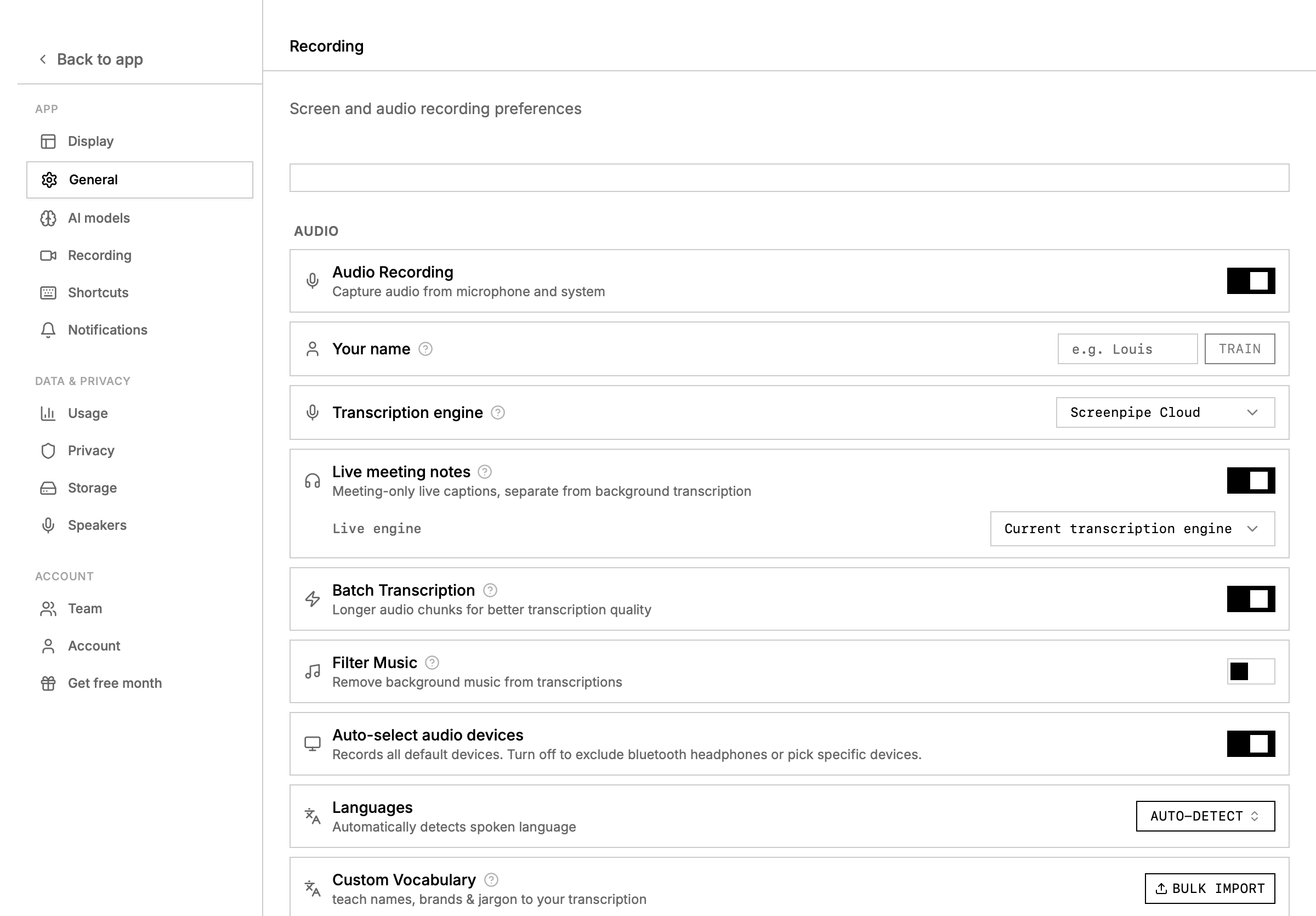
Open **Settings → Recording**. select the needed microphone and system-audio devices, then record a short test. obtain consent where required and follow the meeting's recording policy.
After the call, open the meeting or timeline. check its start and end, transcript coverage, and whether screen context belongs to this meeting.
Correct names and merge or label speakers where useful. do not “repair” missing audio by inventing what someone probably said.
Ask for purpose, decisions, unresolved questions, objections, action items, owners, dates, and supporting transcript moments.
Verify every commitment, owner, number, and deadline. mark unclear items for confirmation.
Create a concise email or message from the verified notes. review tone, recipients, attachments, and promises before sending.
Only after review, copy the approved result into a CRM, ticket, project tracker, or shared notes system.
 ## notes prompt
```markdown theme={null}
Create meeting notes from this bounded transcript and screen context.
Sections:
- purpose and participants
- decisions made
- action items: owner, action, due date, evidence moment
- open questions
- objections or risks
- items that need confirmation
Rules:
- do not assign an owner or due date unless it was stated
- distinguish a proposal from an accepted decision
- quote sparingly
- state when the transcript is missing or unclear
```
## follow-up prompt
```markdown theme={null}
Draft a short follow-up from the verified meeting notes.
Confirm the decisions and action items without adding new promises.
Ask for confirmation on every unresolved owner or date.
Return the draft only. Do not send it or update another system.
```
for deeper speaker, transcript, and calendar setup, see [meeting intelligence](/meeting-intelligence) and [meeting transcription](/meeting-transcription).
## notes prompt
```markdown theme={null}
Create meeting notes from this bounded transcript and screen context.
Sections:
- purpose and participants
- decisions made
- action items: owner, action, due date, evidence moment
- open questions
- objections or risks
- items that need confirmation
Rules:
- do not assign an owner or due date unless it was stated
- distinguish a proposal from an accepted decision
- quote sparingly
- state when the transcript is missing or unclear
```
## follow-up prompt
```markdown theme={null}
Draft a short follow-up from the verified meeting notes.
Confirm the decisions and action items without adding new promises.
Ask for confirmation on every unresolved owner or date.
Return the draft only. Do not send it or update another system.
```
for deeper speaker, transcript, and calendar setup, see [meeting intelligence](/meeting-intelligence) and [meeting transcription](/meeting-transcription).